How Nigerian Creators Can Use YouTube Community Posts
YouTube Community posts let Nigerian creators talk to viewers without uploading a new video every time. If the Posts feature is available on your channel, you can share a question, image, poll, quiz, text update or video link. Start with one useful question your audience can answer, publish it from YouTube's post composer, then review the response in YouTube Studio. These posts can support conversations between uploads, but they do not guarantee reach, subscribers or views.
What are YouTube Community posts?
Community posts, now commonly labelled simply Posts on YouTube, are updates that viewers can discover on a channel's Posts tab or Posts shelf. Eligible posts may also appear in viewers' Home and Subscriptions feeds. YouTube says some image posts may appear in the Shorts feed. Distribution varies, so do not assume every subscriber will see each update. Read YouTube's official overview of posts for the current feature rules.
Posts are not the same as the separate Communities discussion feature. For this guide, the focus is on posts published by a creator: questions, polls, images, quizzes and updates related to the channel's content.
Who can create YouTube posts?
Check whether the Create post option appears on your channel. YouTube says posts are unavailable for supervised accounts and channels set as Made for Kids. Access can also depend on channel roles or restrictions. Do not change an accurate audience designation merely to unlock a feature. If the option is missing, review the channel's settings and YouTube's eligibility guidance rather than assuming you need a particular subscriber count.
For Nigerian creators who mainly upload Shorts, posts can provide a simple way to ask what viewers want next. A tutorial channel might ask which editing problem needs explaining. A comedy creator might ask which character deserves a follow-up scene. The question should be relevant to the videos people already expect from that channel.
Step 1: Create a post on your phone or computer
On the YouTube mobile app
- Open YouTube while signed in to the correct channel.
- Tap Create, then choose Post, if available.
- Write your message and select an available image, poll or quiz option if it suits the idea.
- Preview the text and media, then select Post.
On a computer
- Sign in to YouTube with the correct channel.
- Select Create and then Create post.
- Type a message or choose a supported format such as an image, video, poll or quiz.
- Review your wording and publish.
The buttons and formats can vary by device and account. YouTube's post-creation instructions provide the current desktop workflow, with device-specific instructions available from the same Help Centre.
Step 2: Choose the right format for your message
Each post type should serve a purpose. Do not publish a poll simply because polls are available. Choose the format that makes the question or update easiest to understand.
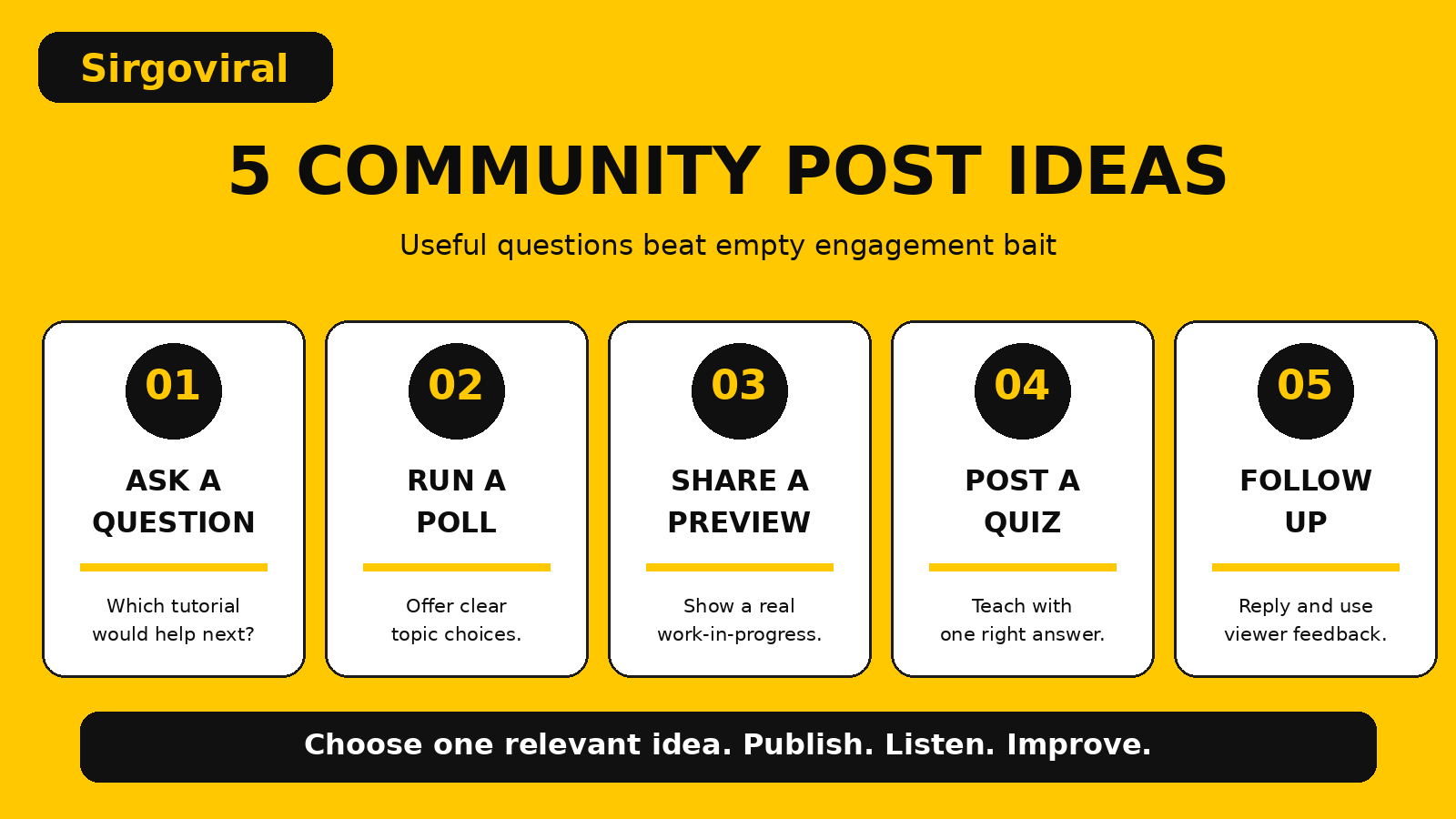
| Post type | Best use | Example for a Nigerian creator |
|---|---|---|
| Text | Short update or discussion starter | "Which part of phone editing takes you the longest?" |
| Image | Preview, visual tip or behind-the-scenes detail | Show two frames from an upcoming original animation. |
| Poll | Choose between clear options | "Next tutorial: captions, lighting or sound?" |
| Quiz | Check knowledge with one correct answer | Ask a simple question related to a lesson you taught. |
| Video or playlist | Give relevant context for existing work | Share a helpful older tutorial with one sentence explaining who it helps. |
According to YouTube's current help page, text polls support up to four answer options. Quizzes also support up to four answers with one correct answer. For image posts, YouTube recommends a square 1:1 aspect ratio because of how images appear in feeds; supported formats include JPG, PNG, GIF and WEBP, with a file limit stated in its help guide. Check the official creation guide before preparing a large batch of assets.
Step 3: Write a question worth answering
Specific questions usually give viewers a clearer starting point than "Who is online?" or "Can we get 100 likes?" Think about what the response will teach you or help your audience decide.
Try these YouTube Community poll ideas, adapted to your niche:
- Education: "Which topic should the next revision lesson cover: algebra, geometry or statistics?"
- Tech: "What should I test next: battery life, camera quality or storage?"
- Music: "Would you prefer a studio breakdown or an acoustic performance next?"
- Comedy: "Which character should return in the next original skit?"
Offer options that are genuinely possible. Do not promise to make the winning video if you cannot commit to it. A poll is useful when you are prepared to listen to the result, not when you only want a higher vote count.
Step 4: Schedule posts around real channel activity
You do not need to publish posts every hour. Start with a manageable rhythm, such as one question before a planned upload and one follow-up afterwards, then adjust based on your audience's response. This is a suggested workflow, not a platform rule or proven best posting frequency.
To schedule on a computer, open the post composer, select the arrow beside Post, choose Schedule Post, then set the date, time and time zone. YouTube's Android instructions also describe a scheduling option in the composer. If you are scheduling for viewers in Nigeria, check the time zone shown rather than assuming the tool uses Lagos time automatically.
For example, a tutorial creator could ask on Tuesday which problem viewers face, publish a lesson later in the week, and return with a brief follow-up asking whether the explanation answered the question. The goal is continuity, not a rigid calendar.
Step 5: Reply to viewers and use answers responsibly
Publishing the post is only the beginning. Read genuine replies, acknowledge useful suggestions and answer questions when you can. If several viewers describe the same difficulty, it may be a suitable topic for a future video.
Moderate personal attacks, scams and spam using YouTube's available comment tools. Do not encourage viewers to disclose phone numbers, passwords, account access or other sensitive information in public comments. Keep replies respectful even when someone disagrees with your idea.
Also avoid repeating identical low-effort polls. YouTube's spam policy specifically warns against repetitive engagement manipulation, including low-value polls created mainly to force interaction.
Step 6: Check YouTube post analytics
To check YouTube post analytics, sign in to YouTube Studio, open Analytics, then Content and look for the Posts section where available. YouTube documents post impressions and top posts ranked by likes or votes. You may also see other post-related measures depending on the current interface.
Compare posts with similar goals. A poll can receive votes because the question is easy, while a useful image may receive fewer visible reactions but still answer a real audience need. Avoid treating votes as proof of future video performance. Use the answers to refine topics, then see how viewers respond to the actual videos.
See YouTube's Posts analytics guidance for the current reports.
Why is the YouTube Posts tab not showing?
First check that you are signed into the intended channel. Then review whether the account is supervised, whether the channel is marked Made for Kids, and whether your channel role or account restrictions affect access. The feature can also appear differently on desktop and mobile, so check the current app and YouTube Help instructions.
Do not rely on outdated advice that claims one fixed subscriber threshold always unlocks Community posts. If you cannot create a post, continue serving your audience through videos, comments and other features available to your channel while you check eligibility.
Common mistakes to avoid
- Posting unrelated questions: keep the subject close to the reason viewers follow your channel.
- Asking for meaningless votes: make polls useful to viewers or your editorial decisions.
- Overpromising: do not guarantee that a requested video will be published if the plan is uncertain.
- Sharing copyrighted material without permission: use images and media you have the right to post.
- Ignoring replies: review the conversation before planning the next update.
- Buying artificial interaction: YouTube prohibits methods that artificially inflate engagement, including third-party services used for that purpose.
Where Sirgoviral fits into a broader promotion plan
Community posts are an organic communication tool inside YouTube. They are not a service purchased through an SMM panel. If you are separately researching social media promotion, you can compare the publicly listed services on Sirgoviral and read the individual conditions before making any decision. The catalogue does not replace a useful post or an authentic viewer conversation.
For YouTube in particular, review the platform's fake engagement policy before using third-party promotion: artificially inflated views, likes or subscribers can violate its rules. If you need a Sirgoviral account for permitted services on other platforms, the sign-up page explains how to get started. No paid engagement method guarantees discovery, monetisation or sales.
Frequently asked questions
Can small YouTube creators use Community posts?
They may be able to, depending on channel eligibility and feature access. Check whether Create post appears and consult YouTube's current help page instead of assuming a universal subscriber requirement.
How many answers can I add to a YouTube poll?
YouTube's current post-creation guide allows up to four answers for text polls. Check the app for the current controls and character limits.
Can I schedule a YouTube Community post?
Yes, where the feature is available. YouTube documents scheduling options on computer and Android. Review the date and time zone before confirming.
Do Community posts guarantee more video views?
No. They can help you communicate with viewers and learn about their interests, but they do not guarantee distribution, subscribers or video views.