How to Add a WhatsApp Link to Your Instagram Bio in Nigeria
Quick answer: Open Instagram, go to Edit profile → Links → Add external link, and paste your WhatsApp click-to-chat URL. Give it a clear title such as Order on WhatsApp, save it, then tap it from another account to make sure it opens the right chat.
If you want a dedicated WhatsApp button on the profile, connect an Instagram professional account to the WhatsApp Business app using the second method below.
Method 1: Add a clickable WhatsApp link to your Instagram bio
- Prepare your link. Use
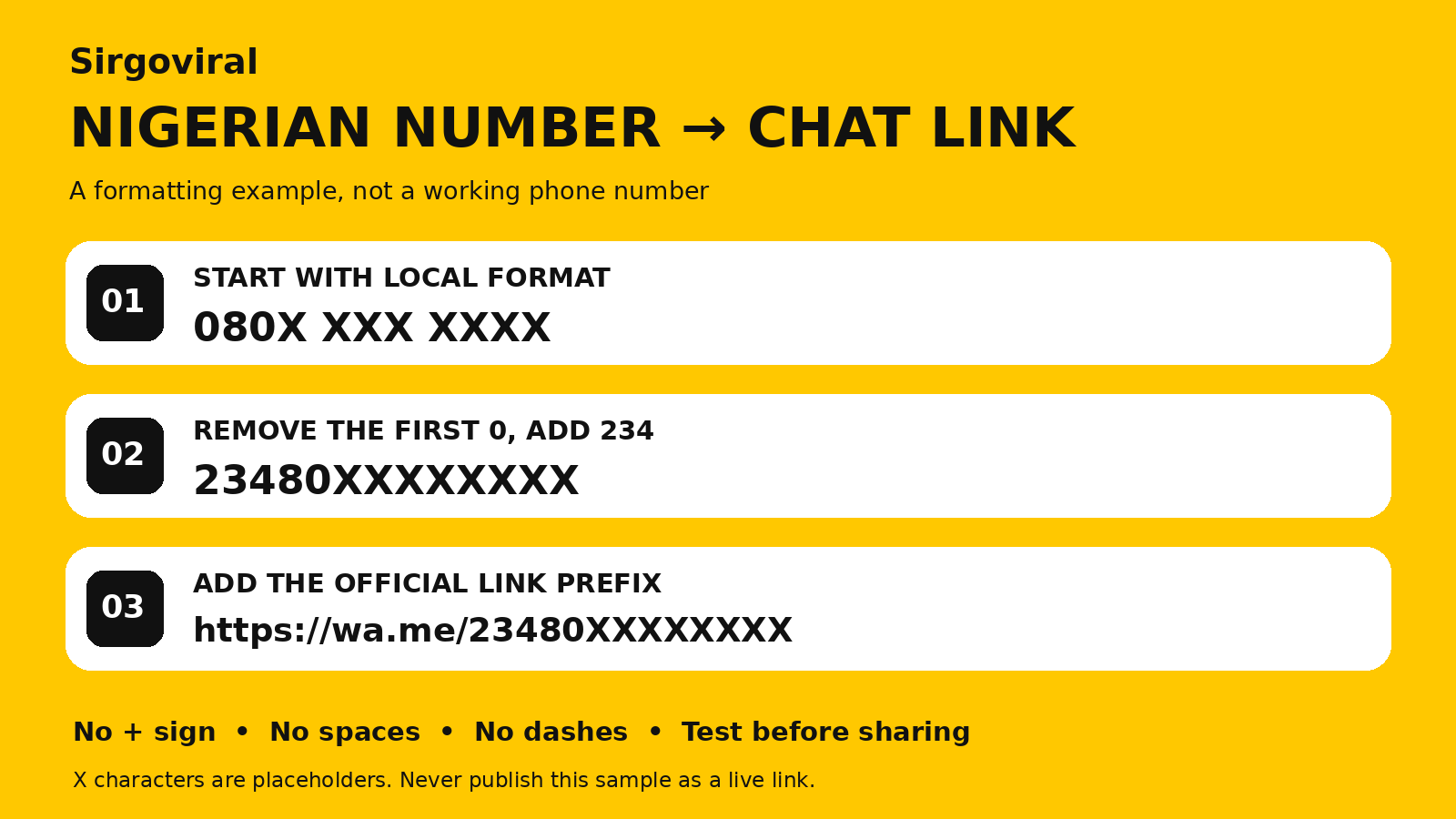
https://wa.me/234XXXXXXXXXX, replacing the placeholders with the ten digits of your Nigerian number after removing its first zero. For example,080X XXX XXXXbecomes23480XXXXXXXX. Leave out the plus sign, spaces and hyphens. - Open the correct Instagram profile. Tap Edit profile, open Links, and choose Add external link. Menu wording can vary by app version.
- Paste the full URL. In the title field, use a label that matches what the customer can do, such as “Ask about delivery” or “Order on WhatsApp”. Save the link in the Links section.
- Check it as a visitor. Open the profile from another Instagram account and tap the link. Confirm the WhatsApp chat shows the business you intended.
Already using WhatsApp Business? You can copy its built-in short link instead of formatting the number manually. For help creating either kind of link, see our Nigerian WhatsApp click-to-chat guide.
Method 2: Add the WhatsApp Business button to Instagram
WhatsApp’s documented setup uses an Instagram professional profile and the WhatsApp Business app. Update both mobile apps, then follow these steps.
- Open the Tools area in WhatsApp Business and find Facebook & Instagram.
- Choose Instagram and continue to the sign-in screen. Select the account your customers actually visit.
- Confirm the account and complete the linking prompts. In WhatsApp Business, check that the linked Instagram profile is listed.
- View the Instagram profile from another account and try the WhatsApp contact option. If you run several brands, verify that the button reaches the number assigned to that profile.
See WhatsApp’s official setup and troubleshooting instructions for account and category requirements.
Why isn’t my Instagram WhatsApp link working?
- Nothing opens when I tap the number. Add the full
https://wa.me/…address through the profile’s Links field. Putting a number in your bio text alone gives visitors no direct chat link. - It opens the wrong chat. Compare the saved number digit by digit with the number registered in WhatsApp. Replace the link on any profile where you still advertise an old number.
- The WhatsApp button is missing. Check that you linked the intended professional profile and the number in the WhatsApp Business app. If WhatsApp reports an unsupported category or permission issue, follow its setup guidance. Use the external profile link if you simply need a working chat route.
- Customers can open the chat but don’t know what to write. Use a short prompt in the bio or prefilled message. Ask for one or two details that help you respond.
Example for a Nigerian clothing seller
Put “Check stock on WhatsApp” on the profile link. In the bio or catalogue, suggest this first message:
Hi, I saw your Instagram post. Is [item] available in [size]? My delivery area is [area].
Before sending customers there, try the link from a second phone. Check that it opens the correct chat and that the first message makes sense without seeing the Instagram post. If the link works but buyers keep asking what to send, rewrite the link label or the bio line.
Prepare the profile before promoting it
Put the current offer, delivery coverage and ordering steps where visitors can find them. Our Instagram bio examples for Nigerian businesses can help you choose what goes above the link. Once the conversation starts, use the WhatsApp order confirmation templates to confirm the item, price and delivery details.
When your profile and ordering route are ready, browse Sirgoviral’s promotion services and review the conditions for the service you choose. Explore more Sirgoviral guides.
Already have an account? Log in to Sirgoviral to access your dashboard.