How to Add a WhatsApp Link to Your TikTok Bio in Nigeria
Quick answer: In TikTok, open Profile → Edit profile. Find Website or open Links and look for the website option. If it’s available on your profile, paste your full WhatsApp link, save it and tap it from another account.
1. Create a WhatsApp link with your Nigerian number
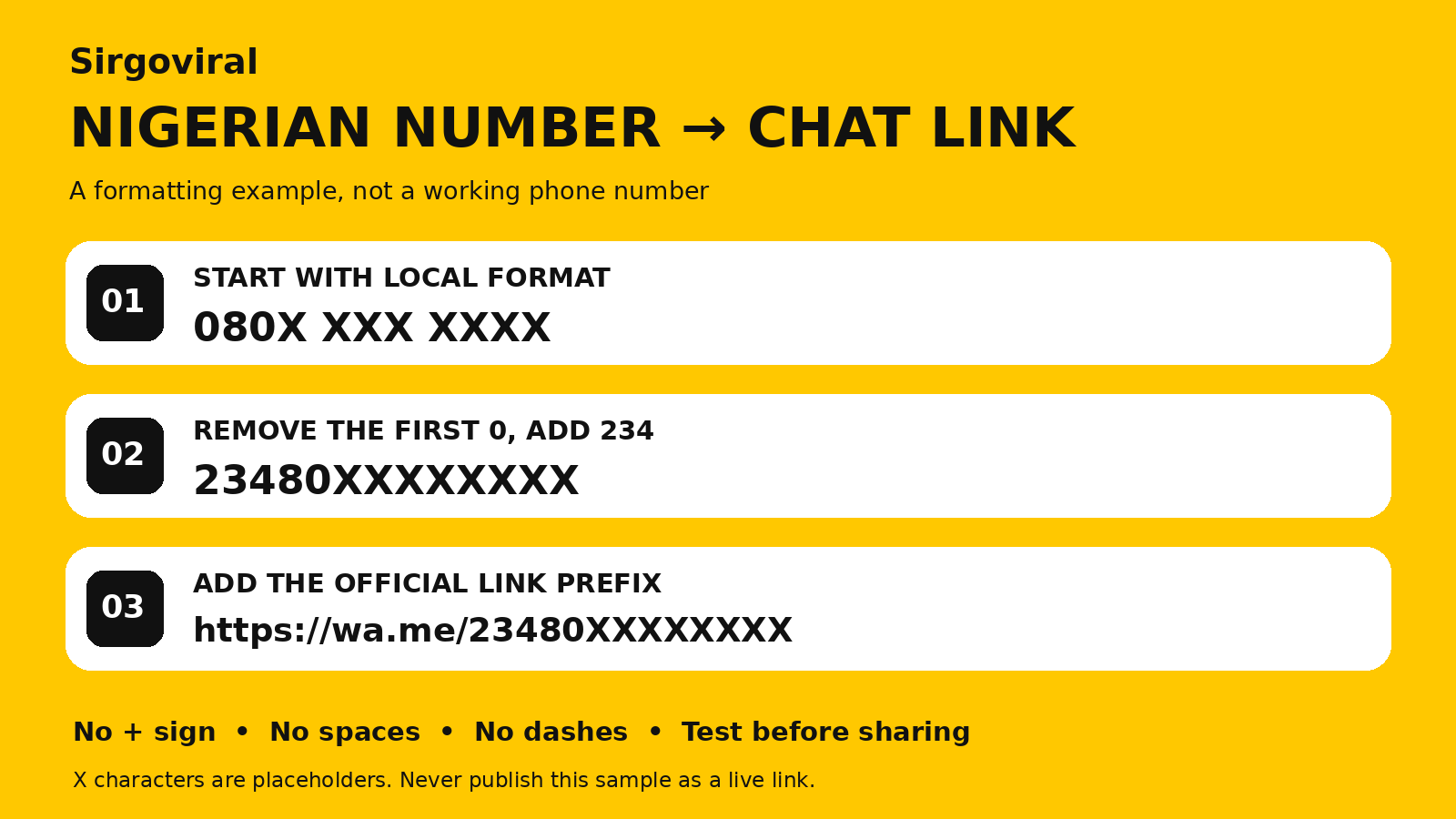
Start with https://wa.me/234XXXXXXXXXX. Replace the Xs with the ten digits of your Nigerian phone number after dropping the first zero. For example, 080X XXX XXXX becomes 23480XXXXXXXX. Leave out the plus sign, spaces and hyphens. Use the number registered to the WhatsApp account that should receive enquiries.
If you already use WhatsApp Business, you can also copy the short link from the app. See the Nigerian WhatsApp click-to-chat guide for help with number formatting and prefilled messages.
2. Put the link in TikTok’s Website field
- Open the TikTok account your customers visit.
- Tap Profile, then Edit profile.
- Look for Website, or tap Add beside Links and choose the website option if it appears.
- Paste the full link, including
https://, and save. Reopen your profile and confirm it appears as a tappable link.
Use the dedicated link field so visitors can tap it. A phone number or a URL typed into the ordinary bio text may only appear as text.
3. What to do if the TikTok Website field is missing
- Check your account type and eligibility. TikTok’s account guidance says Personal Accounts can add a website link once they have at least 1,000 followers. TikTok also lists website links as a Business Account feature. Check what your own profile offers and follow any registration or verification prompts it shows.
- Check the account and the app. Confirm you’re editing the intended profile. Update the app and reopen Edit profile. Look under Links as well as Website, since the labels can differ.
- Keep a clear contact route in the meantime. If your profile offers an Instagram link, you can direct visitors to the Instagram profile where you’ve set up WhatsApp. Explain that extra step in your bio so customers know where to go.
Review TikTok’s account type guidance before switching account types, especially if you rely on music available to Personal Accounts. Here’s our guide to adding WhatsApp to Instagram if that’s your backup route.
Test the link the way a customer will use it
- Open the saved TikTok profile from a second account or phone.
- Tap the profile link. If a browser opens first, check that its continue button takes you to WhatsApp.
- Confirm the chat shows the correct business. If it opens the wrong chat, check each digit against your registered number and update the saved URL.
- If you use a prefilled message, read it on the second phone and make sure a visitor can edit it before sending.
A practical setup for a Nigerian seller
A Lagos wig seller can end a product video with “Tap my profile link to ask about this wig.” A helpful prefilled message would be “Hi, I saw your TikTok video. Is [wig name] available? My delivery area is [area].” Use the product name or code from the video so your team can answer without guessing which item the buyer means.
Before sharing the video widely, try the entire route from the profile to the chat. After an enquiry becomes an order, use our WhatsApp order confirmation templates to confirm the item, price and delivery details.
Once the ordering route works, compare Sirgoviral’s promotion services and review the conditions for your chosen service. Browse more Sirgoviral guides.
Already have an account? Log in to Sirgoviral to access your dashboard.